🌐 Introduction
OCI VCN Terraform configuration is where every Oracle Cloud project begins. In this guide, you’ll learn how to create a Virtual Cloud Network (VCN) and subnets in OCI using Terraform. When you start working with Oracle Cloud Infrastructure (OCI), everything begins with the Virtual Cloud Network (VCN).
It’s the foundation for every compute instance, database, or container you’ll ever deploy.
In this post, we’ll use Terraform to build a simple but flexible OCI VCN with both public and private subnets, laying the groundwork for more advanced topics like Internet and NAT Gateways.
If you’re looking for a practical example — not just theory — this guide walks you through the essential Terraform configuration to define your own network.
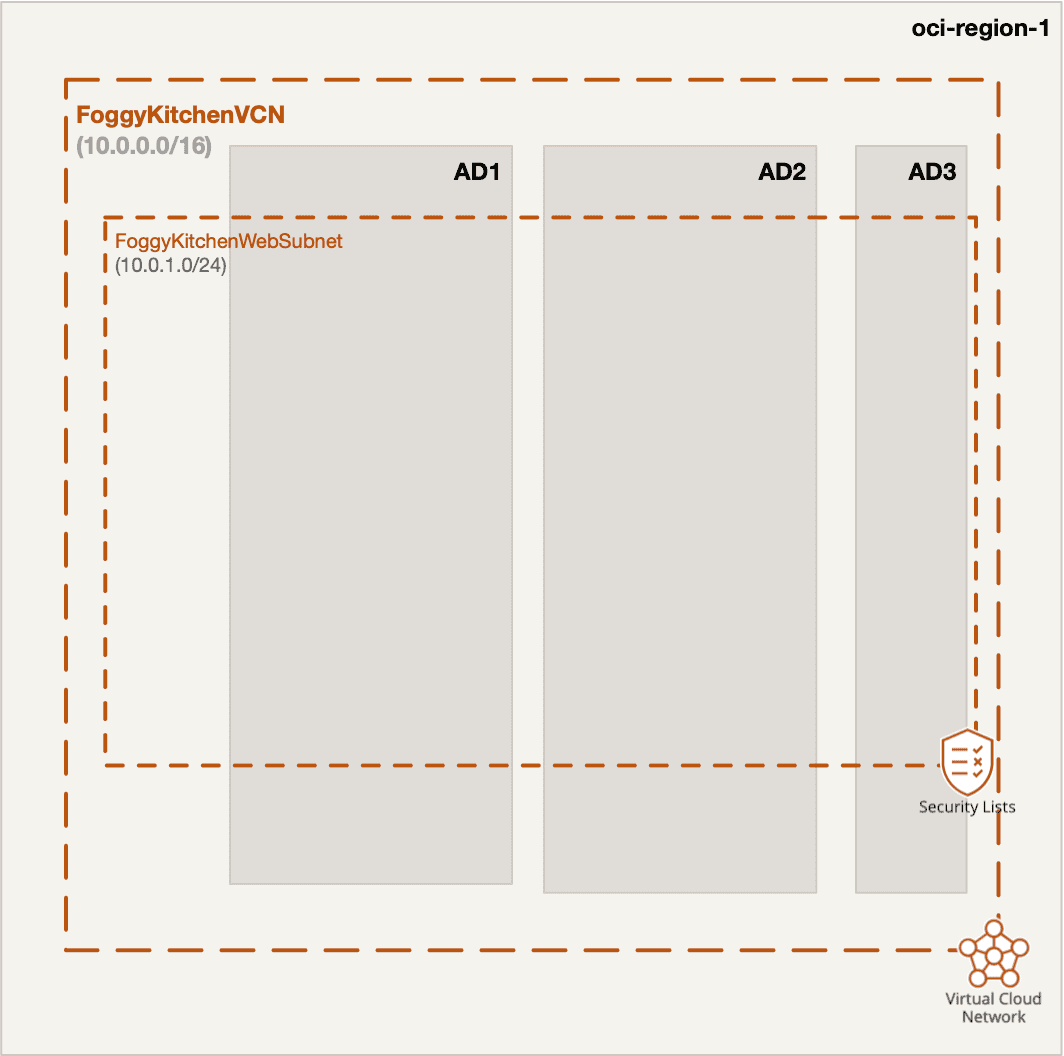
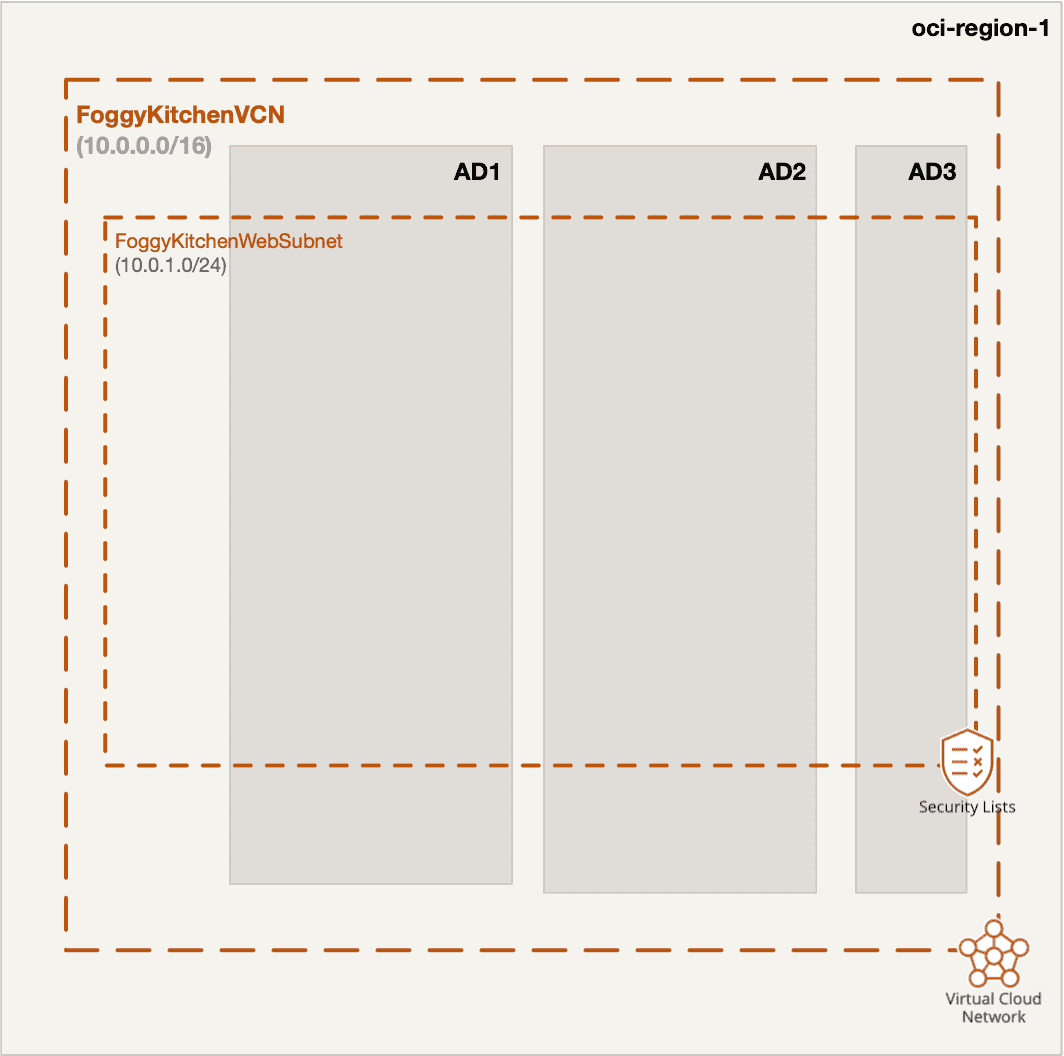
Figure 1. OCI Virtual Cloud Network (VCN) with a single public subnet and Internet Gateway
🧱 Step 1. Define Your OCI VCN with Terraform
A VCN in OCI is the equivalent of a Virtual Network (VNet) in Azure or a VPC in AWS.
It provides an isolated Layer-3 network segment within your tenancy.
Here’s a minimal Terraform definition:
resource "oci_core_vcn" "foggykitchen_vcn" {
  compartment_id = var.compartment_id
  cidr_blocks    = ["10.0.0.0/16"]
  display_name   = "foggykitchen-vcn"
  dns_label      = "foggykitchen"
}
You can assign multiple CIDR blocks to a single VCN (e.g., "10.0.0.0/16", "192.168.0.0/16") — useful when you anticipate future subnets or peering between regions.
💡 Tip: The resource name
oci_core_vcnis an alias for the legacyoci_core_virtual_network.
Both work, but Oracle recommends usingoci_core_vcnwith the latest provider versions.
🧩 Step 2. Create Subnets — Public and Private
Subnets define IP ranges within your VCN.
Each subnet resides in a specific Availability Domain (AD) or in a Regional scope.
Here’s an example with one public and one private subnet:
resource "oci_core_subnet" "public_subnet" {
  compartment_id      = var.compartment_id
  vcn_id              = oci_core_vcn.foggykitchen_vcn.id
  cidr_block          = "10.0.1.0/24"
  display_name        = "public-subnet"
  prohibit_public_ip_on_vnic = false
  dns_label           = "pub"
}
resource "oci_core_subnet" "private_subnet" {
  compartment_id      = var.compartment_id
  vcn_id              = oci_core_vcn.foggykitchen_vcn.id
  cidr_block          = "10.0.2.0/24"
  display_name        = "private-subnet"
  prohibit_public_ip_on_vnic = true
  dns_label           = "priv"
}
The public subnet will later connect to the Internet Gateway, while the private subnet will use the NAT Gateway for outbound access.
🗺️ Step 3. Understand Routing and Connectivity
At this point, your network is isolated — there’s no route to or from the Internet.
Terraform has deployed a VCN and two subnets, but without gateways or route tables, no instance will communicate outside its CIDR range.
That’s where the next two posts in this networking series come into play:
🌍 OCI Internet Gateway with Terraform – how to expose your public subnet to the Internet.
🔒 OCI NAT Gateway with Terraform – how to enable outbound access from private subnets without assigning public IPs.
Both are natural extensions of the foundation you’re building here.
💾 Step 4. Add Security Lists (Optional)
You can define basic ingress/egress rules at the subnet level.
For example:
resource "oci_core_security_list" "public_security" {
  compartment_id = var.compartment_id
  vcn_id         = oci_core_vcn.foggykitchen_vcn.id
  display_name   = "public-security-list"
  egress_security_rules {
    protocol    = "all"
    destination = "0.0.0.0/0"
  }
  ingress_security_rules {
    protocol = "6"  # TCP
    source   = "0.0.0.0/0"
    tcp_options {
      min = 22
      max = 22
    }
    description = "Allow SSH"
  }
}
This allows SSH access (port 22) for instances in the public subnet — the typical setup for a bastion host.
⚙️ Step 5. Apply and Verify the Deployment
Run the usual Terraform workflow:
tofu init
tofu plan
tofu apply
You’ll see Terraform creating the VCN and subnets in your specified compartment.
From the OCI Console, navigate to Networking → Virtual Cloud Networks to verify the topology.
🚀 Where to Go Next
You’ve just built the core of any OCI network.
From here, continue with:
Those guides extend this foundational setup into real-world networking architectures — where your public subnet hosts bastions or load balancers, and private subnets host backend compute or databases.
☁️ Summary
A solid understanding of OCI VCNs and Subnets is key to mastering Terraform on Oracle Cloud.
With a few declarative HCL blocks, you can spin up a fully functional, isolated network environment — ready for secure compute, load balancing, or multicloud integrations.
And if you want to explore more real-world Terraform recipes, check out my course
👉 OCI Infrastructure Automation with Terraform (2025 Edition)
Take Your OCI Networking Skills to the Next Level 🚀
You’ve just built your first OCI Internet Gateway with Terraform — now it’s time to move on to NAT Gateways, Load Balancers, Bastion Hosts, Private DNS and more.
In my flagship course, you’ll automate the entire OCI network step by step, using real production scenarios.