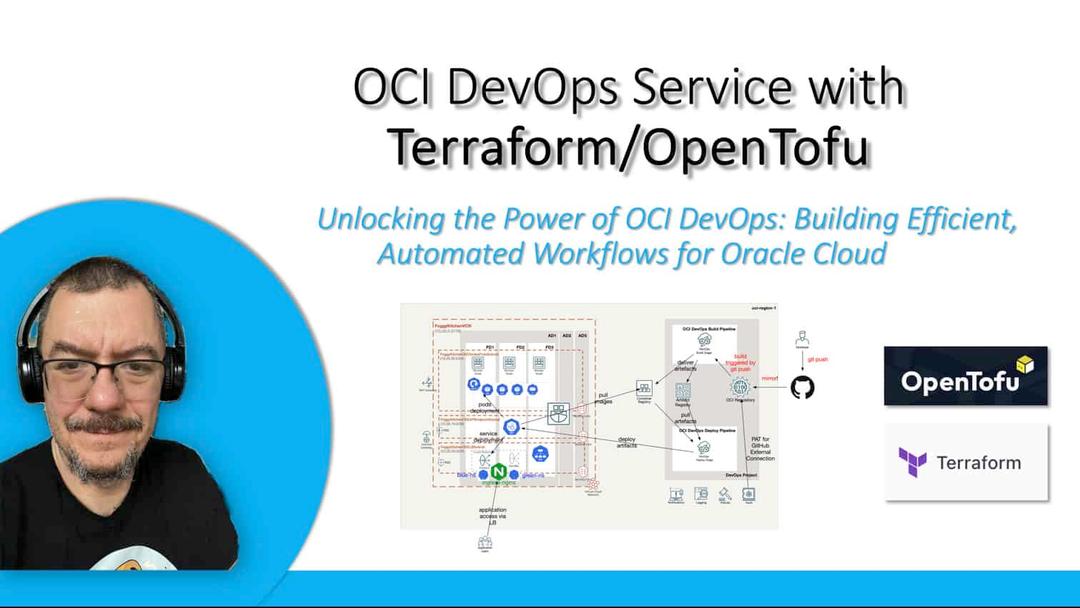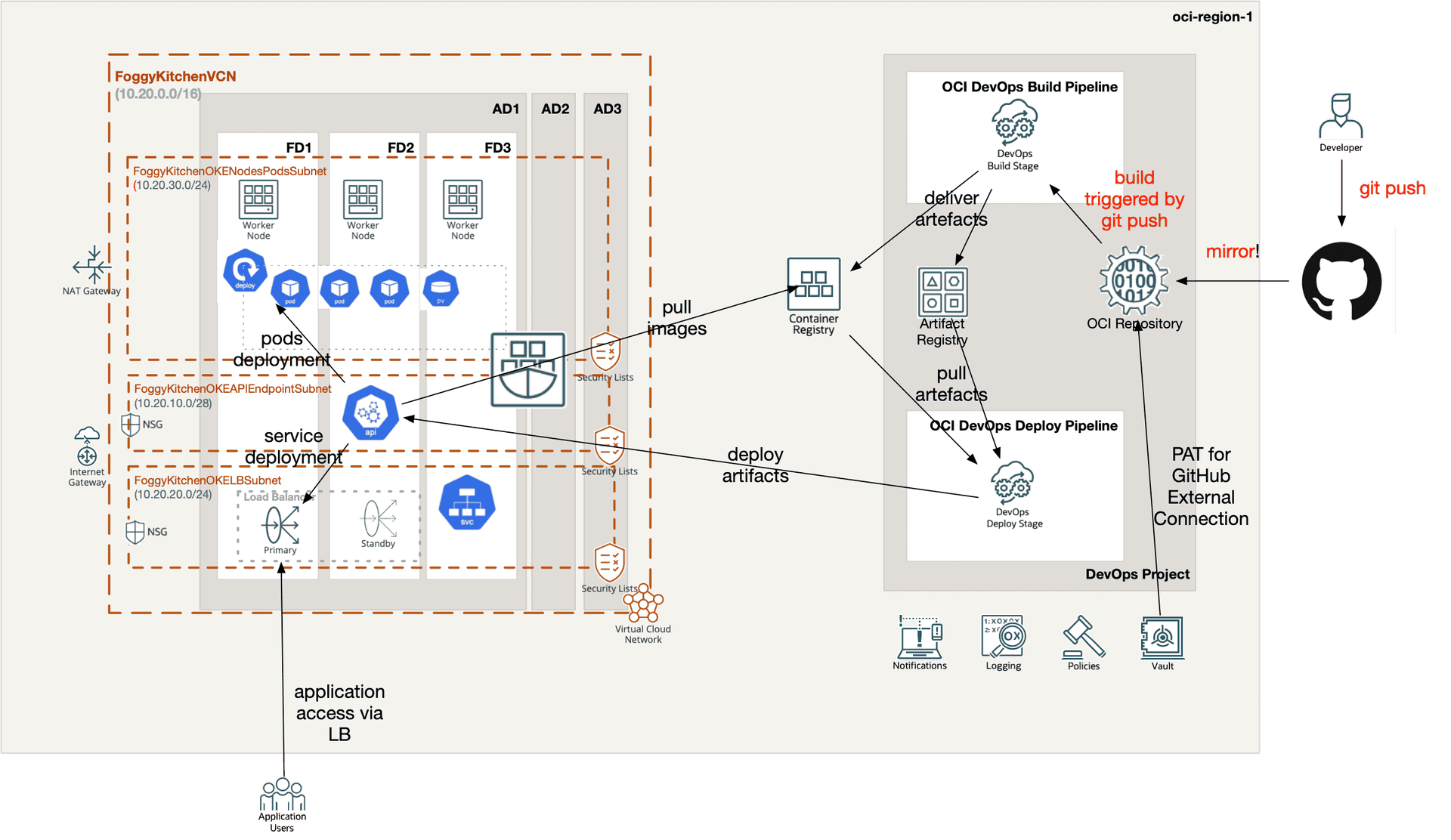
Working with OCI DevOps Terraform allows you to bring automation, repeatability, and consistency to your entire CI/CD workflow. Oracle Cloud Infrastructure DevOps is a fully managed service that helps teams build, test, and deploy applications faster, and when combined with Terraform it becomes even more powerful. Instead of manually creating projects, build pipelines, or deploy pipelines in the console, you can define them declaratively with code and version-control everything. This makes OCI DevOps Terraform not only a productivity boost but also a governance tool, since every configuration is tracked and auditable.
In this post, we’ll explore how to start with an OCI DevOps Project, which acts as the anchor for repositories, build pipelines, deploy pipelines, and notification rules. By wrapping everything inside Terraform configuration, you ensure that your DevOps setup is consistent across environments — whether you are deploying to test, staging, or production. Using OCI DevOps Terraform also makes it easier to collaborate in teams, since code can be reviewed, shared, and reused.
If you’re new to OCI DevOps, think of Terraform as the glue that ties together all pieces of the service: projects, notifications, build pipelines, and deployment automation. With just a few lines of code, you can spin up an entire CI/CD framework in OCI and extend it later with more advanced patterns like Canary or Blue-Green deployments. This guide shows you how to get started with a simple but production-ready setup.
Step 1 — Create an OCI DevOps Project (with notifications)
The DevOps Project acts as the anchor for your CI/CD workflow. Here’s how you can provision one with Terraform, including integration with OCI Notifications (so you can route alerts to Slack, Teams, or Email).
resource "oci_devops_project" "FoggyKitchenDevOpsProject" {
  provider       = oci.targetregion
  compartment_id = oci_identity_compartment.FoggyKitchenCompartment.id
  name           = "FoggyKitchenDevOpsProject"
  description    = "FoggyKitchen DevOps Project"
  notification_config {
    topic_id = oci_ons_notification_topic.FoggyKitchenDevOpsNotificationTopic.id
  }
}
Why it matters:
-
Centralized location for repositories, builds, and deployments.
-
Alerts and notifications tied to your CI/CD workflows.
Step 2 — Define a Build Pipeline (parameters & artifacts)
The build pipeline takes care of compilation, packaging, and publishing of artifacts (for example, Helm charts into OCIR).
resource "oci_devops_build_pipeline" "FoggyKitchenDevOpsProjectBuildPipeline" {
  provider     = oci.targetregion
  project_id   = oci_devops_project.FoggyKitchenDevOpsProject.id
  display_name = "FoggyKitchenDevOpsProjectBuildPipeline"
  description  = "FoggyKitchen DevOps Project Build Pipeline"
  build_pipeline_parameters {
    items {
      name          = "USER_AUTH_TOKEN"
      default_value = local.ocir_user_password
      description   = "User auth token to push helm packages."
    }
    items {
      name          = "HELM_REPO_USER"
      default_value = local.ocir_user_name
      description   = "User to push helm packages."
    }
    items {
      name          = "HELM_REPO_URL"
      default_value = "oci://${local.ocir_docker_repository}/${local.ocir_namespace}/${var.helm_repo_name}/${var.release_name}"
      description   = "Helm repo URL to push helm packages."
    }
    items {
      name          = "HELM_REPO"
      default_value = "${local.ocir_docker_repository}"
      description   = "Helm repo name"
    }
  }
}
Key takeaway:
Pipeline parameters make your builds reusable and portable. Use them to inject secrets (auth tokens), user names, or artifact destinations without hardcoding.
Step 3 — Add a Deploy Pipeline (artifact promotion)
The deploy pipeline consumes the build output and rolls it out to target environments such as OKE or Functions. By passing parameters (like a build hash), you ensure deterministic, traceable deployments.
resource "oci_devops_deploy_pipeline" "FoggyKitchenDevOpsProjectDeployPipeline" {
  provider     = oci.targetregion
  project_id   = oci_devops_project.FoggyKitchenDevOpsProject.id
  display_name = "FoggyKitchenDevOpsProjectDeployPipeline"
  description  = "FoggyKitchen DevOps Project Deploy Pipeline"
  deploy_pipeline_parameters {
    items {
      name          = "BUILDRUN_HASH"
      default_value = ""
      description   = ""
    }
  }
}
Why use BUILDRUN_HASH?
It creates a direct link between the build artifact and the deployment. Instead of “latest” or “unstable,” you’re promoting a specific, tested build all the way to production.
Why this architecture works
This approach to OCI DevOps Terraform keeps your pipelines clean, auditable, and easy to extend. By separating responsibilities and codifying everything with Terraform, you get both flexibility and governance:
-
Separation of concerns: build pipelines focus on packaging, deploy pipelines focus on rollout.
-
Observability: notifications ensure you know when things succeed or fail.
-
Repeatability: everything is codified with Terraform for consistent, auditable pipelines.
What’s next
Once you have the foundation in place, it’s easy to expand. You can enrich your OCI DevOps Terraform setup with:
-
Add Build Pipeline Stages (checkout, build, test, publish artifacts).
-
Add Deploy Pipeline Stages (OKE deployments, serverless functions) with rollback/approval policies.
-
Link them together by promoting artifacts via pipeline parameters like
BUILDRUN_HASH.
Wrapping Up
This post showed you how OCI DevOps Terraform lets you define DevOps projects, build pipelines, and deploy pipelines as code — repeatable, versioned, and production-ready. If you want to go further, with real hands-on labs and complete pipelines (including Canary and Blue-Green strategies), check out my full course 👉 OCI DevOps Service with Terraform (2023 Edition).
🚀 Master OCI DevOps with Terraform
Go beyond the basics and build complete CI/CD pipelines on OCI. From creating DevOps projects to configuring build & deploy pipelines, Canary, and Blue-Green strategies — all automated with Terraform/OpenTofu. Includes step-by-step labs, real code, and lifetime access.
👉 Enroll in the Full Course