
Introduction
Azure hub spoke routing Terraform is a common pattern used to solve one of the key limitations of Azure VNet peering.
In the previous article, we built a clean hub-and-spoke topology using Azure VNet peering.
At first glance, everything looked correct — VNets were connected, and communication seemed possible.
But there was one fundamental limitation:
Spoke-to-spoke communication did not work.
This is not a misconfiguration.
This is how Azure networking is designed.
In this article, we’ll go one step further and introduce a routing layer that solves this limitation using Terraform/OpenTofu.
Why VNet Peering Is Not Enough
Azure VNet peering provides:
- ✔ Low-latency connectivity between VNets
- ✔ Private IP communication
- ❌ No transitive routing
This means:
- Spoke1 → Hub ✅
- Spoke2 → Hub ✅
- Spoke1 → Spoke2 ❌
Even though both spokes are connected to the same hub, Azure does not automatically route traffic between them.
Connectivity exists, but routing does not.
This distinction is critical.
Understanding Azure Routing Behavior
Azure does not act as a dynamic router between VNets.
Instead:
- Each VNet has its own routing context
- Traffic flows only if explicitly defined
- There is no implicit “transit network”
This leads to an important architectural insight:
Routing defines how traffic actually flows — not connectivity alone.
To enable communication between spokes, we must explicitly control routing behavior.
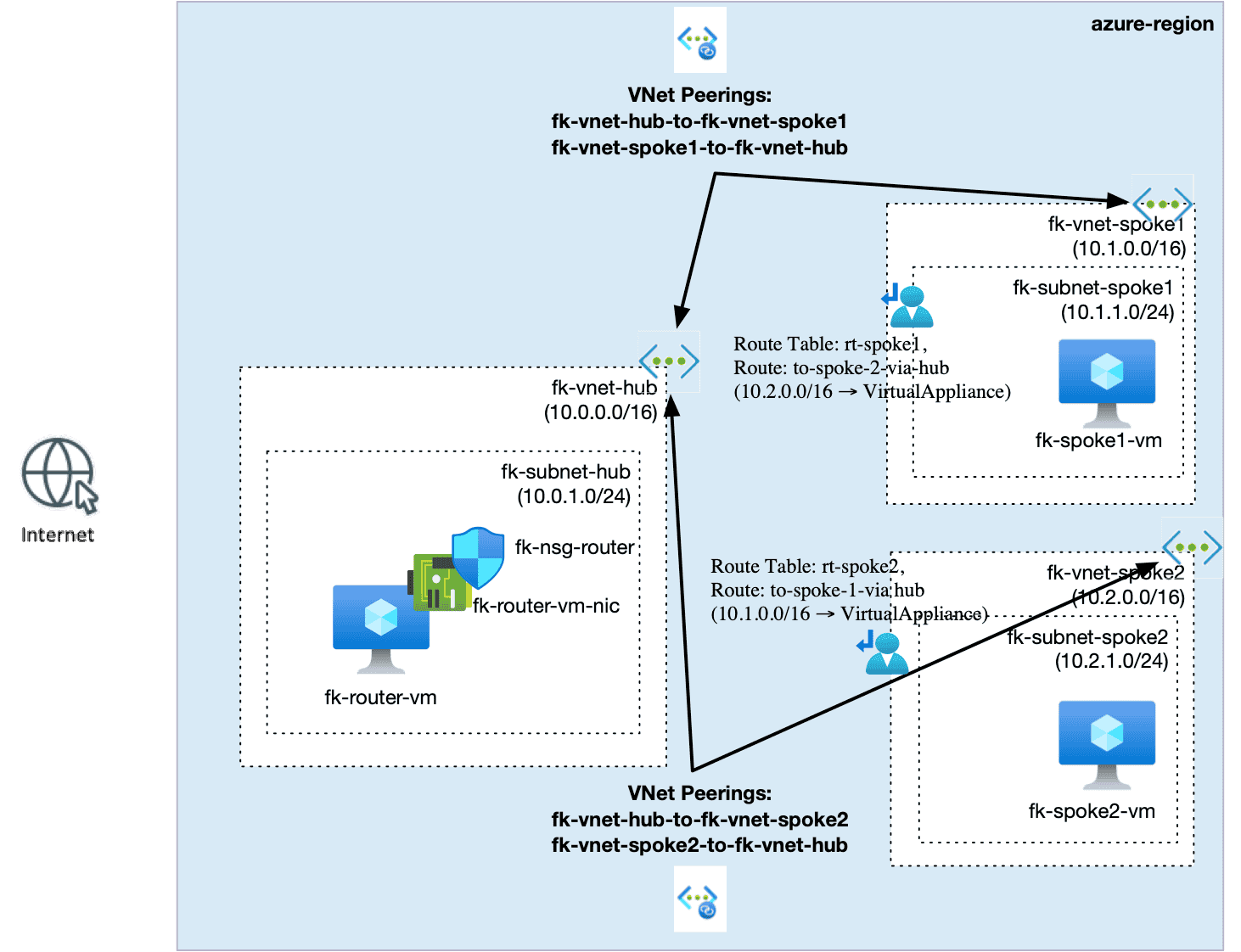
Azure Hub Spoke Routing Architecture Terraform
To solve the problem, we introduce a central routing component in the hub VNet.
Key elements:
- Hub VNet (10.0.0.0/16)
- Contains a router VM (NVA) acting as a central traffic control point
- This is where routing decisions are made and enforced
- Spoke1 VNet (10.1.0.0/16)
- Represents an isolated workload environment
- Uses custom routing to reach other networks via the hub
- Spoke2 VNet (10.2.0.0/16)
- Another isolated environment with no direct connectivity to Spoke1
- Relies entirely on hub-based routing for cross-VNet communication
- Bidirectional VNet peering (hub ↔ spokes)
- Provides basic connectivity between VNets
- Does not enable transitive traffic flow
- User Defined Routes (UDR) in spokes
- Override default Azure routing behavior
- Force traffic between spokes to pass through the hub
- Use Virtual Appliance (NVA) as the next hop
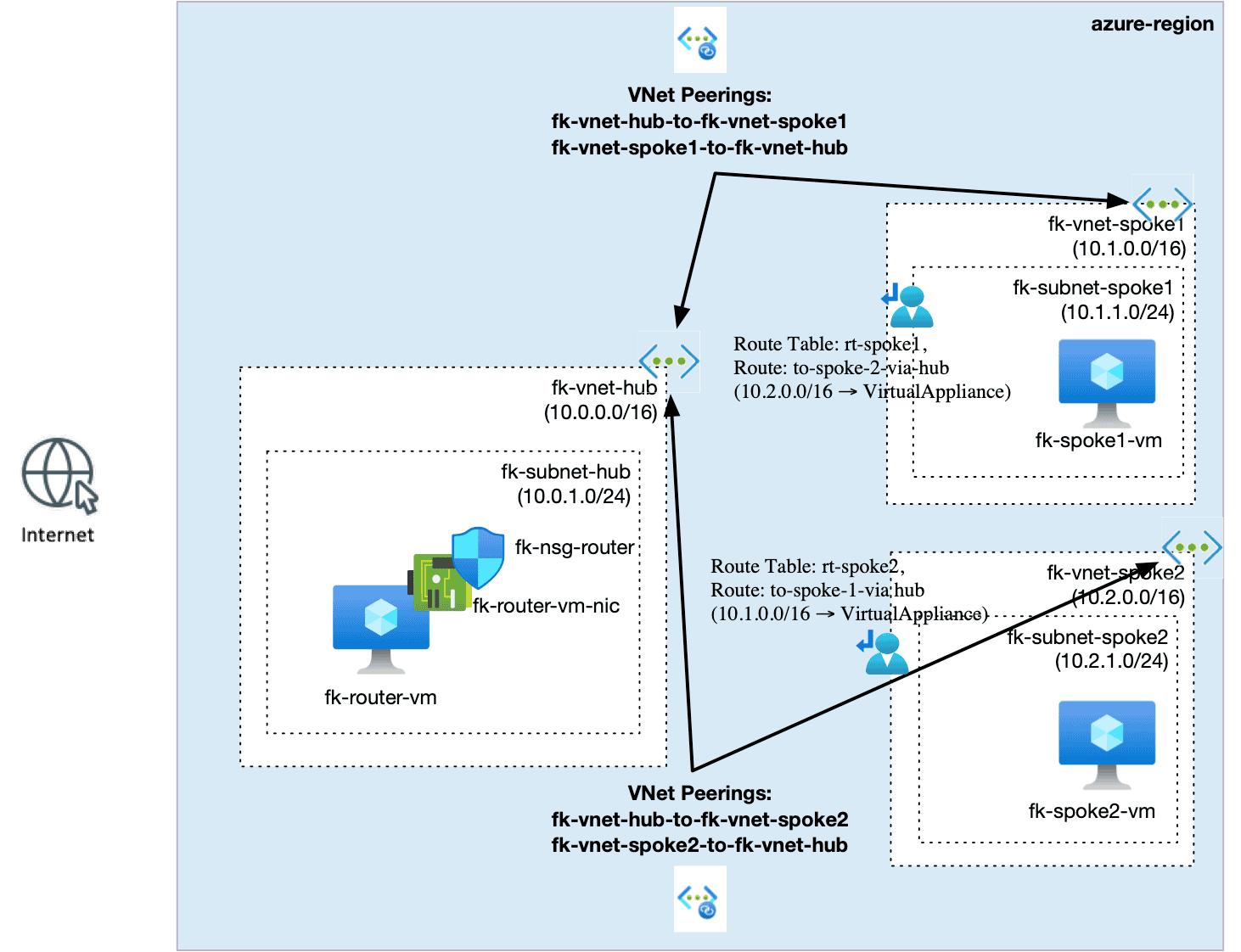
Figure 1. Hub-and-spoke routing architecture using Azure Virtual Appliance and UDR
What changes compared to the previous design?
We do not change peering.
Instead, we add:
- A router VM in the hub
- Custom route tables (UDR) in each spoke
This setup represents a practical implementation of Azure hub-spoke routing Terraform in a real-world architecture.
The Role of the Router VM (NVA)
The router VM acts as a Virtual Appliance:
- Receives traffic from spokes
- Forwards it to the destination VNet
- Enables transitive communication
This is a common enterprise pattern:
Centralized routing through a hub.
Implementing Routing with Terraform
We now extend the previous architecture by introducing routing configuration.
Instead of manually defining everything, we use a structured Terraform module:
👉 https://github.com/foggykitchen/terraform-az-fk-routing/tree/main/examples/02_hub_spoke_with_routing
Example: User Defined Route (UDR)
In Spoke1, we define a route:
route {
  name                   = "to-spoke2-via-hub"
  address_prefix         = "10.2.0.0/16"
  next_hop_type          = "VirtualAppliance"
  next_hop_in_ip_address = var.router_private_ip
}
And symmetrically in Spoke2:
route {
  name                   = "to-spoke1-via-hub"
  address_prefix         = "10.1.0.0/16"
  next_hop_type          = "VirtualAppliance"
  next_hop_in_ip_address = var.router_private_ip
}
What does this achieve?
Instead of sending traffic directly:
❌ Spoke1 → Spoke2 (blocked)
We now force:
✅ Spoke1 → Hub (router VM) → Spoke2
✅ Spoke2 → Hub (router VM) → Spoke1
Validating Spoke-to-Spoke Connectivity
After applying the configuration:
- Spoke1 VM can reach Spoke2 VM
- Spoke2 VM can reach Spoke1 VM
This confirms that:
Routing is now explicitly controlled and functional.
Key Takeaways
- VNet peering does not provide transitive routing
- Azure requires explicit routing configuration
- Hub-and-spoke becomes fully functional only when:
- a routing layer is introduced
- traffic is directed via a central component
Connectivity is the foundation — routing is the control plane.
What’s Next?
In this article, we introduced basic hub-and-spoke routing.
But this is just the beginning.
In real-world architectures, routing is also used to:
- control internet egress (forced tunneling)
- inspect traffic (firewalls, NVAs)
- enforce security boundaries
We’ll explore these topics in the next steps.
🚀 Continue Your Journey
If you want to understand the Azure baseline first:
👉 Azure Fundamentals with Terraform/OpenTofu
But if you are ready to go deeper into real Azure network architecture, this article leads directly into the next step:
👉 Azure Advanced Networking with Terraform/OpenTofu
In the full course, we build hub-and-spoke networking, VNet peering, User Defined Routes, Private Endpoints, Private DNS, RBAC, and Azure Firewall step by step.
This is where routing stops being just a route table — and becomes part of architecture control.
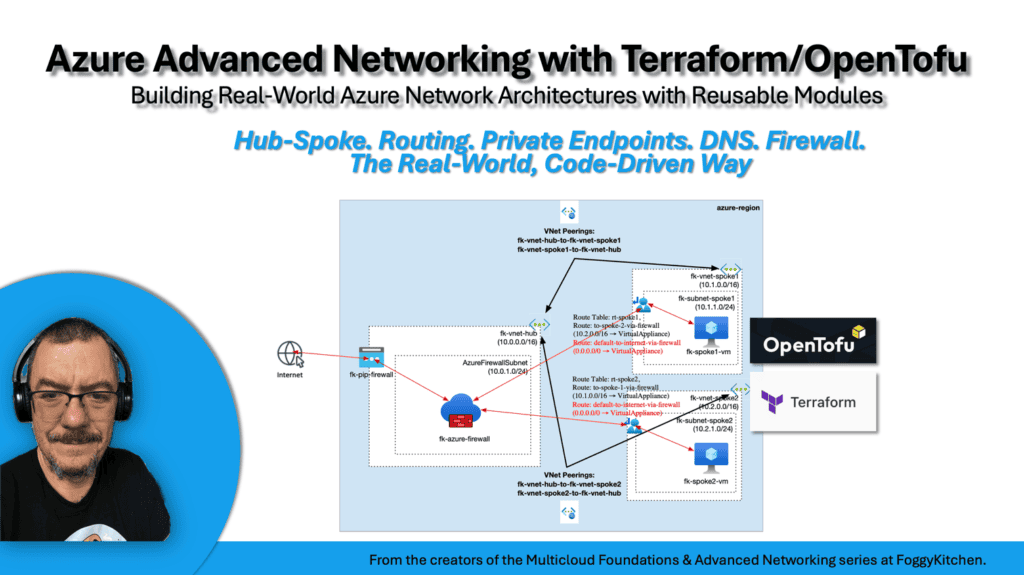
Build Controlled Azure Routing with Terraform / OpenTofu
You’ve seen how User Defined Routes solve the non-transitive nature of Azure VNet peering.
Now build the full Azure Advanced Networking lab: hub-and-spoke topology, VNet peering, UDRs, Private Endpoints, Private DNS, RBAC, and Azure Firewall — all with reusable Terraform and OpenTofu modules.
🚀 Start Azure Advanced Networking


