Azure VM accessing Blob Storage using RBAC with Terraform/OpenTofu
- Posted by Martin Linxfeld
- Categories Azure / Identity & Security
- Date April 17, 2026
- Comments 0 comment
- Tags Azure Blob Storage, azure identity access management, azure managed identity, azure rbac, azure role assignment, azure storage security, azure vm storage access, OpenTofu Azure, terraform azure rbac, terraform managed identity
Introduction
This guide explains how to configure Azure RBAC Terraform VM storage access so a Virtual Machine can securely access Azure Blob Storage using Managed Identity.
At first glance, accessing Azure Blob Storage from a Virtual Machine looks straightforward. You deploy a VM, create a storage account, and expect everything to work.
In practice, this is often where things start to fail.
Even with a correctly deployed infrastructure, access to data from inside the VM may not work at all. The issue is usually not related to networking or DNS. It comes from a deeper layer of the Azure platform: identity and permissions.
Understanding this model is essential if you want to build architectures that are not only functional but also secure.
The Real Problem
A typical setup looks like this:
- a Virtual Machine is deployed inside a VNet
- a Storage Account exists with Blob Containers
- network connectivity is in place
From an infrastructure perspective, everything seems correct.
However, when you try to access Blob Storage from the VM using a command like:
az storage blob list ...
you receive an authentication or authorization error.
At this point, many people start troubleshooting networking. In reality, the problem is different. Azure does not grant access based on network location. Access is controlled through identity and permissions.
Architecture Overview
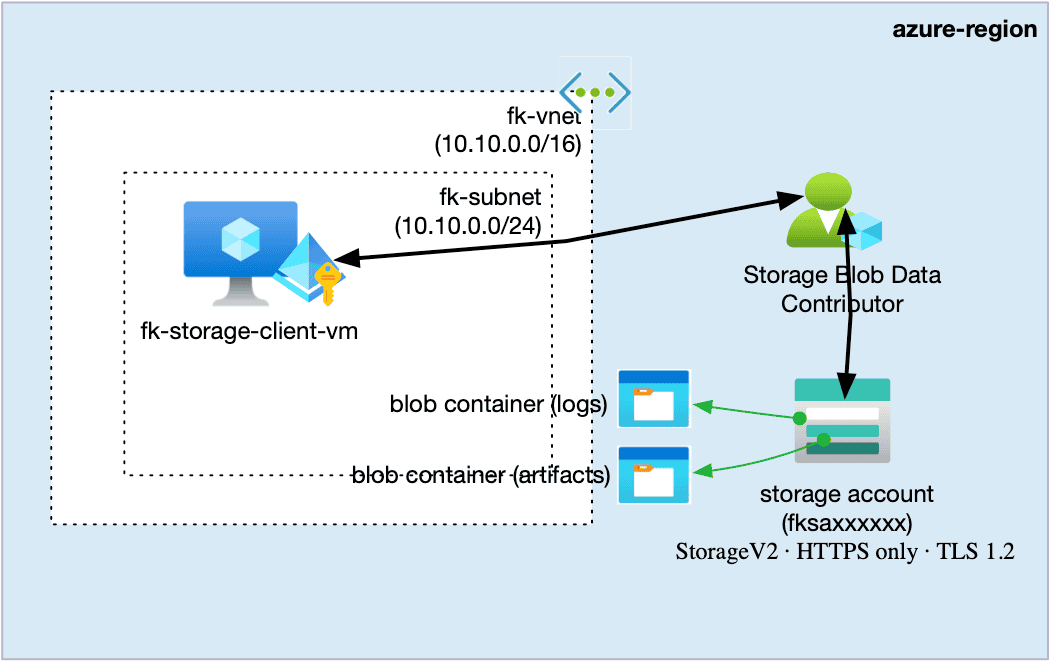
The following architecture illustrates how a Virtual Machine securely accesses Azure Blob Storage using Managed Identity and RBAC.
- the VM runs inside a VNet and subnet
- the VM has a Managed Identity enabled
- the Storage Account hosts Blob Containers
- access is granted using an RBAC role assignment
This architecture highlights a critical concept in Azure.
Even though the Virtual Machine and the Storage Account are reachable over the network, access to data is not granted automatically.
Instead, access is evaluated through the VM’s Managed Identity and enforced using RBAC at the resource scope level.
This means that the system relies on identity-based authorization rather than network-based trust.
Figure 1. Virtual Machine accessing Azure Blob Storage using Managed Identity and RBAC. The VM does not use storage keys; access is granted through role assignment (Storage Blob Data Contributor) at the storage account scope.
What Actually Happens
From a visual perspective, it might look like the VM communicates directly with the storage account. In reality, the flow is different.
The Virtual Machine uses its Managed Identity, which represents it in Azure. When the VM attempts to access Blob Storage, Azure evaluates this identity and checks whether it has the required permissions through RBAC.
Only if the appropriate role is assigned at the correct scope does Azure allow access to the data.
This means that the VM itself does not have permissions. Permissions belong to its identity.
The Missing Layer: RBAC
Without RBAC, the architecture appears complete but does not function.
The VM exists, the storage account exists, and the network is properly configured. Despite that, access to data is denied.
RBAC is the layer that connects identity with resources and defines what actions are allowed. Without it, the system remains disconnected from a permissions perspective.
Terraform Approach
Instead of assigning roles manually in the Azure Portal, it is better to treat access control as part of the infrastructure and define it using Terraform or OpenTofu.
RBAC as a Module
module "rbac" {
  source = "github.com/foggykitchen/terraform-az-fk-rbac"

  scope                = module.storage.storage_account_id
  principal_id         = module.compute.vm_principal_id
  role_definition_name = "Storage Blob Data Contributor"
}
In this example, RBAC is implemented as a dedicated module. This approach makes the permissions layer explicit and reusable.
This pattern is commonly referred to as Azure RBAC Terraform VM storage access, where identity defines how compute interacts with data.
What this really means
This configuration defines a relationship between components of your system.
On one side, you have the compute layer that provides the identity of the VM. On the other side, you have the data layer represented by the storage account. RBAC acts as the bridge that connects these layers and determines how they interact.
Instead of describing isolated resources, you are defining how parts of the system are allowed to work together.
Key Concept: Scope
An important aspect of RBAC is the concept of scope.
In this example, access is granted at the storage account level. However, you can restrict access further by targeting a specific container.
scope = "${module.storage.storage_account_id}/blobServices/default/containers/${var.container_name}"
This allows you to limit permissions to a subset of data, which is an important capability for designing secure systems.
Why not use Storage Keys?
Azure still supports access to storage accounts using shared access keys. While this approach is simple, it introduces several problems.
Keys are shared, difficult to rotate, and do not provide any identity context. This makes auditing and access control more complex.
Using RBAC with Managed Identity allows you to assign permissions to specific identities, enforce least privilege, and maintain a clear audit trail.
What this example really teaches
In more advanced scenarios, this pattern is combined with additional layers such as Private Endpoints, Private DNS, and hub-and-spoke networking.
In such architectures, correct behavior depends on multiple dimensions at once: networking, name resolution, identity, and permissions.
If any of these layers is missing or misconfigured, the system may appear deployed but still fail to operate correctly.
Hands-on Example
In the full example available in the repository, you go through the complete process:
- deploy a Virtual Machine with Managed Identity
- create a Storage Account with Blob Containers
- assign RBAC permissions using a Terraform module
- access Blob Storage from inside the VM
👉 https://github.com/foggykitchen/terraform-az-fk-rbac/tree/main/examples/01_vm_storage_blob_access
Key Takeaway
Azure architectures are not built from individual resources alone. They are built from relationships between layers such as compute, identity, permissions, and data.
If one of these layers is missing, the system will not work, even if Terraform reports a successful deployment. In Azure, being able to reach a resource does not mean you are allowed to use it. If you want to understand Azure beyond simply deploying resources, it is worth learning how identity and access control shape real-world architectures. This same idea appears again in real Azure networking architectures. When a workload accesses Azure Storage through a Private Endpoint, the private network path is only one part of the design. Private DNS makes the service resolvable, but RBAC still decides whether the workload is allowed to use the data.
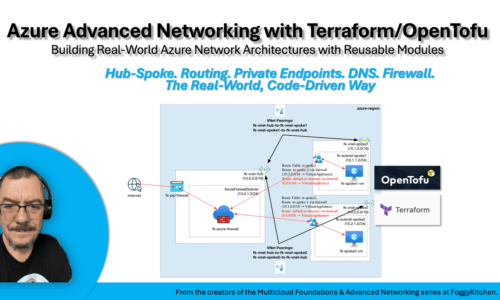
That is why Azure Advanced Networking with Terraform/OpenTofu includes RBAC as part of the private connectivity module — not as an isolated IAM topic, but as one layer of real architecture control.
Private Access Is More Than Networking
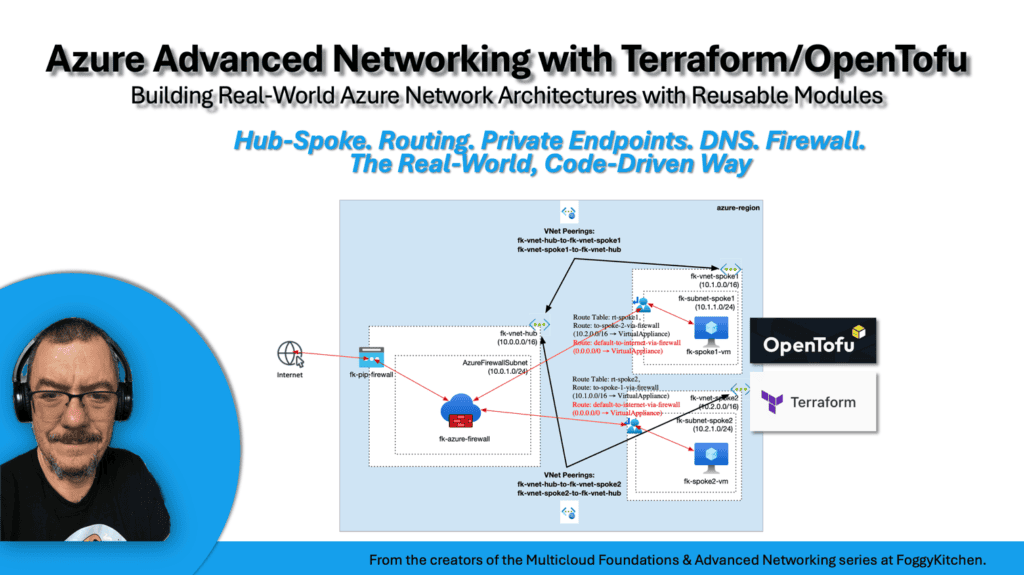
You’ve seen how Managed Identity and RBAC control access to Azure Blob Storage. Now see how this fits into a real Azure networking architecture: Private Endpoint, Private DNS, managed identity, RBAC, routing, and hub-and-spoke design working together with Terraform and OpenTofu.
🔐 RBAC · 🌐 Private DNS · 🔒 Private Endpoint · 🧱 Architecture Control