Collecting TF_VAR Variables for Terraform OCI Provider – Step-by-Step (2025)
- Posted by Martin Linxfeld
- Categories oci, hashicorp, opentofu, terraform, Tutorials
- Date April 10, 2020
- Comments 0 comment
- Tags cloud console, Infrastructure as Code, oci automation, OCI Terraform, setup, terraform provider, tf_var
Introduction
Before you can deploy anything in Oracle Cloud using Terraform, you need to configure a set of environment variables — commonly referred to as OCI Terraform TF_VAR variables — that provide authentication and tenancy information for the Terraform OCI Provider.
It’s a small but critical step — and many beginners get stuck right here. That’s why I’ve prepared a short pre-lesson, which is part of my flagship Terraform OCI course, to guide you through the setup step by step.
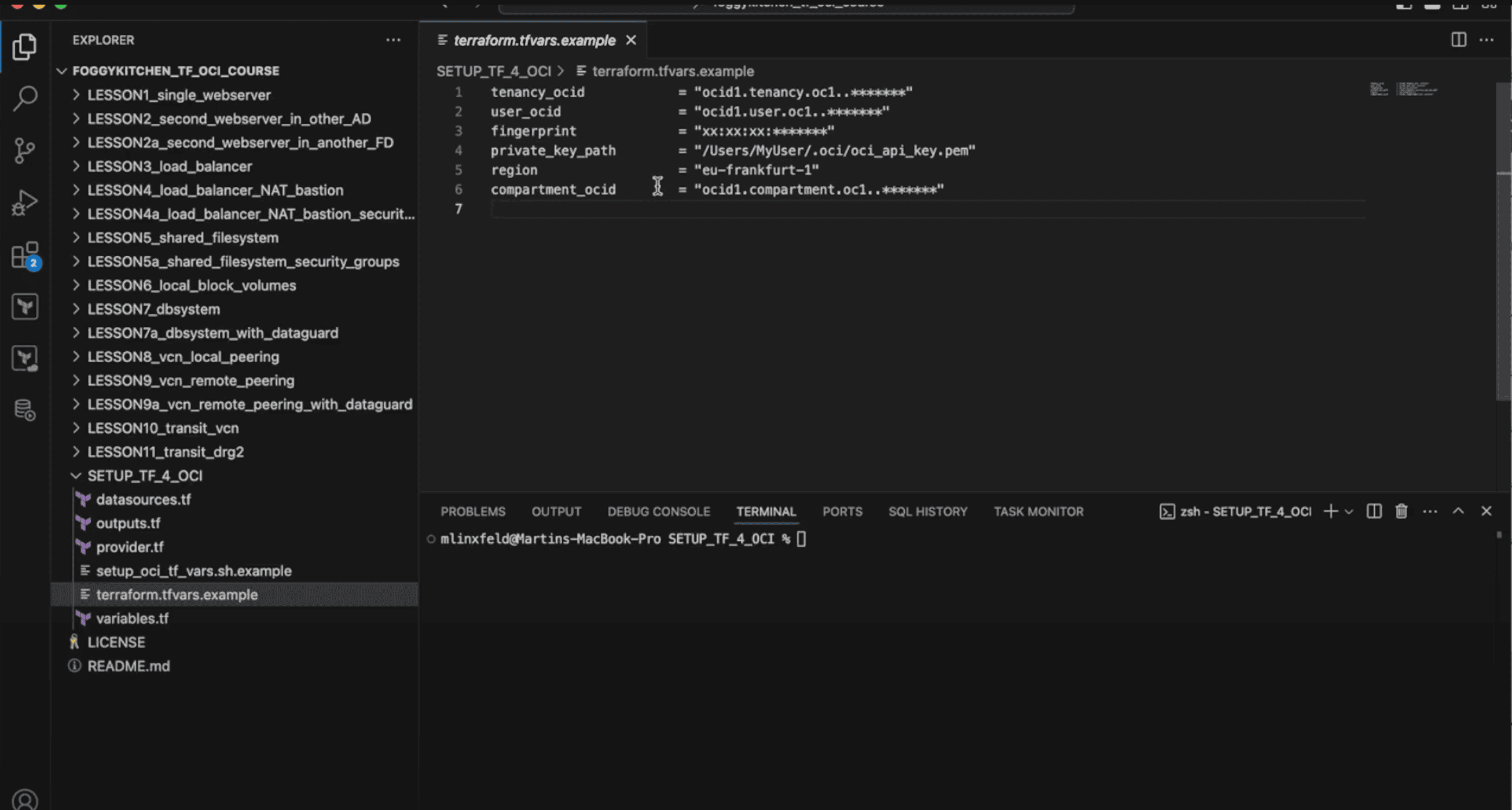
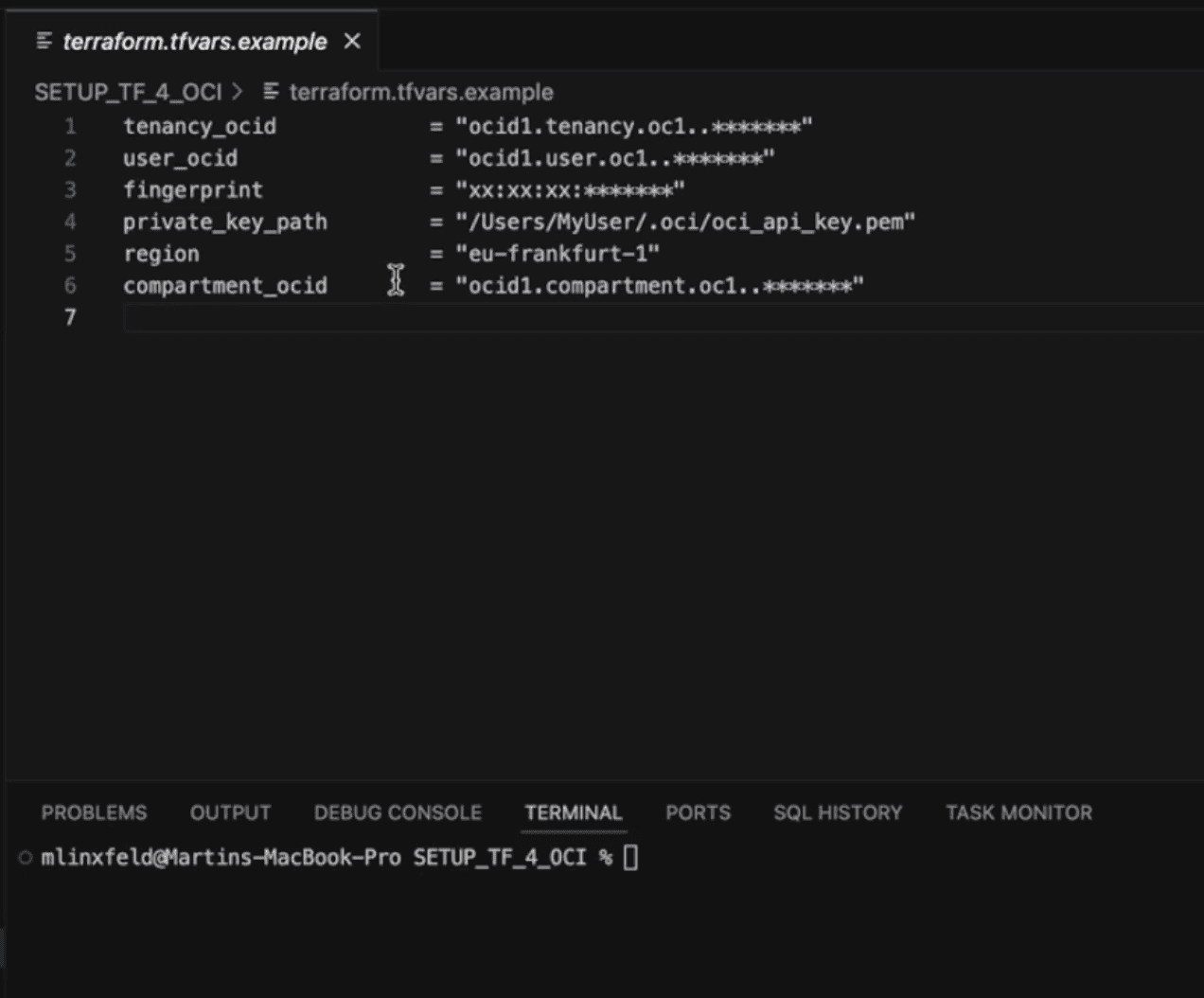
Figure 1. Example terraform.tfvars file with key OCI Terraform TF_VAR variables defined inside the SETUP_TF_4_OCI folder.
Step 1: Find Your Tenancy OCID and User OCID
Log into the OCI Console.
Go to Administration → Tenancy Details and copy the Tenancy OCID.
Navigate to Identity → Users → [your user] and copy the User OCID.
These two values are essential for authenticating with your OCI tenancy.
Step 2: Create or Upload Your API Key and Get Fingerprint
In your User Details page, find the API Keys section.
Upload an existing public key (PEM) or generate a new one in the console.
Copy the fingerprint displayed by the UI.
Keep the corresponding private key (.pem) securely on your local machine.
You’ll use both the fingerprint and the private key path in your TF_VAR configuration.
Step 3: Determine Your Region
Locate your tenancy’s region identifier (e.g. us-ashburn-1, eu-frankfurt-1, etc.). This tells the Terraform provider where to operate.
Step 4: Use Example Scripts for OCI Terraform TF_VAR Variables
These OCI Terraform TF_VAR variables include tenancy OCID, user OCID, API key fingerprint, private key path, and region. All required scripts and templates are included in the public GitHub repository for my flagship Terraform OCI course.
There’s a dedicated subdirectory called SETUP_TF_4_OCI. This folder isn’t part of the main modules — it actually serves as a pre-lesson, guiding students through the initial environment setup before starting the hands-on labs.
Inside, you’ll find two key files:
setup_oci_tf_vars.sh.example— a shell script example that exports all requiredTF_VARenvironment variables for you.terraform.tfvars.example— a ready-to-use.tfvarstemplate with the exact variable names used throughout the training labs.
Using these templates is the fastest way to ensure your setup is correct and aligned with the course.
For example, your .tfvars file might look like this:
tenancy_ocid     = "ocid1.tenancy.oc1..aaaa..."
user_ocid        = "ocid1.user.oc1..aaaa..."
fingerprint      = "ab:cd:ef:..."
private_key_path = "/path/to/your/private_key.pem"
region           = "eu-frankfurt-1"
And your setup_oci_tf_vars.sh script could contain:
export TF_VAR_tenancy_ocid="ocid1.tenancy.oc1..aaaa..."
export TF_VAR_user_ocid="ocid1.user.oc1..aaaa..."
export TF_VAR_fingerprint="ab:cd:ef:..."
export TF_VAR_private_key_path="/path/to/your/private_key.pem"
export TF_VAR_region="eu-frankfurt-1"
By sourcing this script, you avoid having to manually export the variables every time you start a new session.
Step 5: Reference the Variables in Your Provider Block
In your Terraform code, reference the variables like this:
variable "tenancy_ocid" {}
variable "user_ocid" {}
variable "fingerprint" {}
variable "private_key_path" {}
variable "region" {}

provider "oci" {
  tenancy_ocid     = var.tenancy_ocid
  user_ocid        = var.user_ocid
  fingerprint      = var.fingerprint
  private_key_path = var.private_key_path
  region           = var.region
}
Terraform will read these values automatically from your environment variables or .tfvars file, depending on how you configure your setup.
Conclusion
That’s it! You now have all the required variables configured to authenticate Terraform with your OCI tenancy.
This pre-lesson is the foundation for everything that follows in the Flagship Terraform OCI Course. Once your environment is ready, you can smoothly transition to the first hands-on deployments — web servers, load balancers, shared file systems, and more 🚀
🚀 Ready to go further?
This pre-lesson is just the beginning.
In the flagship course, you’ll build real OCI infrastructure with Terraform
— step by step.
🔒 Lifetime • ⏱️ Self-paced • 🧪 Real labs